
Choosing the Right Calculator Builder for Creative Studios
Great design gets people to stop and look. Clear numbers help them move and act.
For creative studios, the portfolio already does its job: it shows style, craft and range. The missing piece on many design and development sites is what happens after someone is impressed. How do you help visitors turn “I like this” into “This is what I need, and here’s why I should start a project”?
Interactive calculators are one of the simplest ways to bridge that gap. Instead of reading generic pricing or sending a vague brief, visitors walk through a short on-page experience, answer a few questions, and see a result tailored to them: a scope suggestion, a budget range, or even a brand score.
To keep things practical, let’s look at three specific scenarios a studio might face and which tool – ConvertCalculator, uCalc or Outgrow – fits each one best.
Quick Comparison: Which Calculator Builder Fits Your Studio?
Scenario | Best-fit tool | Why it fits |
Complex project scoping | ConvertCalculator | Strong for multi-step calculators, configurators, formulas, and custom quote logic |
Interactive lead generation | Outgrow | Built for quizzes, assessments, calculators, polls, chatbots, lead capture, and campaign analytics |
Practical service pricing | uCalc | Simple visual builder for calculators and forms that can be embedded into service pages |
Portfolio-to-inquiry bridge | uCalc or Outgrow | uCalc works for direct estimates; Outgrow works for diagnostic quizzes and awareness-stage engagement |
Discovery preparation | ConvertCalculator | Helps prospects clarify scope before a consultation |
Package selection | uCalc | Good for fixed-scope offers, retainers, maintenance plans, and service bundles |
The main difference is not only feature depth. It is where the calculator sits in the client journey. ConvertCalculator is strongest when the visitor is already thinking seriously about scope. Outgrow is strongest when the visitor still needs to understand the problem. uCalc is strongest when the visitor wants a clear estimate and a simple next step.
Scenario 1: You Need a “Mini Workshop” on Your Website
Best-fit tool: ConvertCalculator
Imagine you’re dealing with complex projects: multi-page marketing sites, product dashboards, or web apps with memberships and integrations. A typical discovery call feels like a workshop: you map user roles, key features, and edge cases before you can even talk about budget.
A ConvertCalculator flow can bring part of that workshop online.
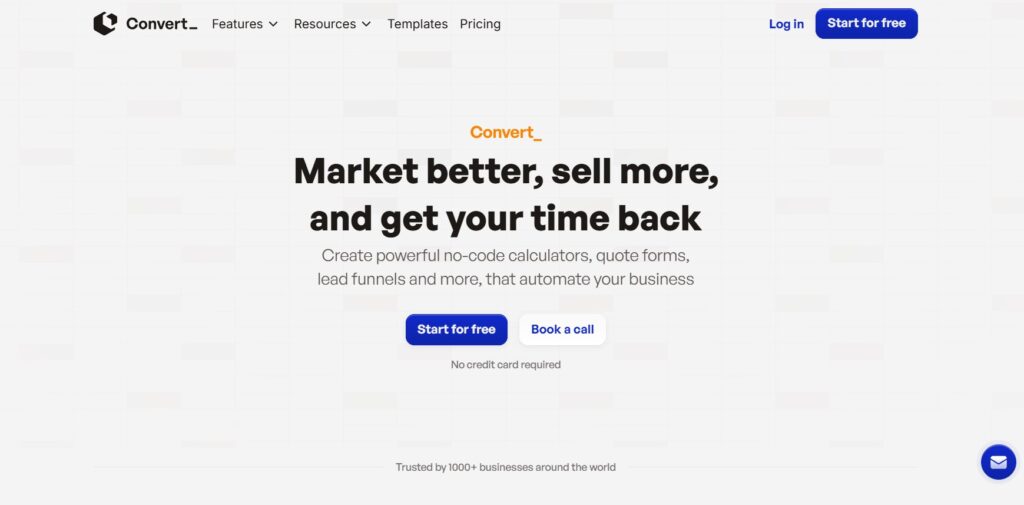
ConvertCalculator is a no-code platform for building advanced calculators and configurators. You lay out your questions as steps, attach spreadsheet-style formulas to them, and publish the result as an embeddable widget or standalone page. Under the hood, it supports conditional logic, multi-page flows and a wide range of input types, which makes it comfortable modelling complex scoping rules and cost formulas.
A ConvertCalculator flow might:
- Ask what type of project the client has in mind (marketing site, web app, portal, landing campaign).
- Dig into necessary features: content types, integrations, user accounts, payments, dashboards, animation.
- Capture expectations around timeline, content readiness, and degree of custom design.
- Translate those answers into a transparent budget band and a recommended “shape” of the project (for example, “Brand site, 8–10 pages, custom UI kit, 2 integrations”).
Because ConvertCalculator lets you create multi-step logic and return multiple outputs, you can show more than just a number. You can display a suggested package name, highlight trade – offs, or show how changing a few inputs alters the result.
This type of calculator doesn’t replace a proper discovery session. What it does is filter and educate: clients who book a call after going through the flow usually have a better sense of their own priorities and a realistic budget range, which saves everyone time.
Best Creative Studio Use Cases for ConvertCalculator
ConvertCalculator is especially useful when a studio sells custom work that cannot be explained with one fixed price. This includes brand identity systems, UX audits, complex websites, product design retainers, no-code builds, web applications, and design-to-development projects.
For example, a studio could build a “Project Scope Estimator” that asks about page count, user roles, integrations, content migration, animations, CMS needs, custom components, and deadline pressure. Instead of showing only a final price, the calculator can return a project category such as “Starter brand site,” “Growth marketing website,” or “Custom product build.”
This type of result is useful because it frames the sales conversation. The client does not arrive with only a vague idea. They arrive with a preliminary scope, a budget range, and a better understanding of what drives cost.
ConvertCalculator’s positioning is also aligned with this use case: its public site describes calculators, quote forms, lead generation funnels, apps, and configurators that automate marketing and sales processes without code. Its pricing page also frames the product around calculators, quote forms, funnels, and configurators for collecting more valuable leads.
Scenario 2: You Want Interactive Content That Brings in New Leads
Best-fit tool: Outgrow
Not every visitor is ready to talk about scope and budget. Some are still exploring: “Do we even need a redesign?” “Is our conversion really that bad?” “Are we using our current site well enough?”
For people at this stage, interactive content works better than a “Get a quote” button.
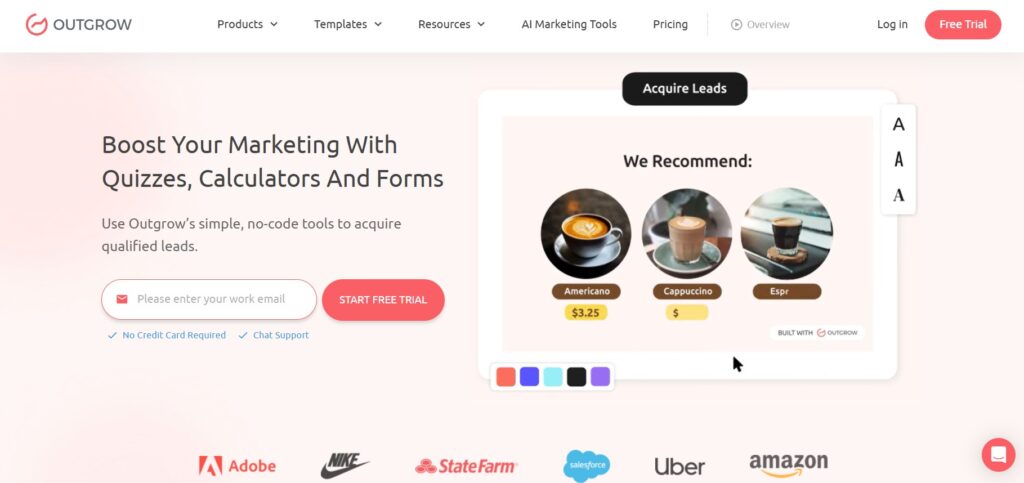
Outgrow is built for exactly that. It’s a marketing platform for interactive experiences-quizzes, assessments, calculators, polls and chatbots-designed to capture and qualify leads. You design flows visually, add logic to show different outcomes based on answers, and plug everything into your email or CRM stack.
On a design studio site, an Outgrow experience might be:
- A “Website Health Check” assessment that asks about mobile performance, conversion paths, messaging clarity and content freshness. At the end, the visitor gets a score (for example, 63/100), a short diagnosis, and an invitation to book a consultation.
- A “Which Website Package Fits You?” quiz that recommends one of your service tiers based on traffic, content complexity, and internal resources.
- A “Design ROI” calculator that shows how even a small lift in conversion rate impacts yearly revenue for an online shop.
Because Outgrow focuses on lead gen, you get built-in features like result-gated forms (show the full report only after an email is entered), integrations with major email platforms, and analytics that reveal which questions lose people and which outcomes convert best.
In short: ConvertCalculator is ideal for people ready to scope; Outgrow is for people who still need a gentle nudge to realise why they should talk to you at all.
Best Creative Studio Use Cases for Outgrow
Outgrow is a good choice when the calculator is not only a pricing tool, but part of a campaign. A creative studio can use it to turn passive visitors into active participants before they ever reach the contact page.
Examples include a “Brand Readiness Score,” “Website Conversion Diagnosis,” “Is Your Visual Identity Holding You Back?” quiz, “Which Website Package Fits Your Growth Stage?” assessment, or “How Much Revenue Could a Better Landing Page Recover?” calculator.
These experiences work because they give the visitor a reason to interact before they are ready for a sales call. Someone may not want to request a proposal yet, but they may be curious enough to check their website score or see which redesign path fits their business.
Outgrow’s public positioning matches this role: it describes its product as a no-code tool for quizzes, calculators, and forms that helps acquire qualified leads. Its pricing page lists calculators among supported interactive content types, alongside quizzes, assessments, polls, forms, surveys, recommendations, and giveaways depending on plan level.
For creative studios, the strongest Outgrow use case is awareness-to-lead movement. The visitor comes for an interactive diagnosis, receives a result, and then sees a relevant next step: book a consultation, download a report, request a UX review, or compare service packages.
Scenario 3: You Just Need Clean, Practical Service Calculators
Best-fit tool: uCalc

Sometimes the goal is simpler: make it easy for visitors to understand your pricing and send a brief.
This is where uCalc comes in. uCalc is a visual builder for calculators and forms. You drag fields-sliders, number inputs, checkboxes, dropdowns-onto a canvas, set up formulas without touching code and then embed the result on any page with a short script.
uCalc works great for:
- A service price estimator on the “Work with us” page, where clients pick rough page count, level of UI customisation, and extras like copywriting or brand refresh.
- A landing-page bundle calculator that shows how many versions, A/B variants, and post-launch tweaks are included at different price points.
- A maintenance plan selector where toggling response time, reporting frequency, and included updates automatically updates the monthly rate.
Each uCalc widget can also act as a form. That means the visitor sees their estimated total and, in the same place, fills in their name, company, and a short description of the project. Public documentation notes that uCalc supports connecting payment options inside calculators, currency conversion, notifications and analytics integrations, which lets you turn some calculators into light e-commerce or paid consultation booking tools when needed.
Because the calculators are hosted on uCalc’s side, you can tweak, copy, update prices or change logic from their dashboard without redeploying the whole site. That’s especially handy for a studio that occasionally experiments with new packages or runs limited-time offers.
Best Creative Studio Use Cases for uCalc
uCalc is the most practical option when a studio wants to add clear interactive pricing to existing pages without turning the whole website into a funnel system.
A studio can use it for a logo package estimator, website design quote calculator, landing page bundle calculator, monthly maintenance plan selector, social media creative package calculator, UX audit price estimator, or consulting session booking form.
The advantage is simplicity. The visitor selects what they need, sees a calculated estimate, and can submit contact details from the same widget. This is especially helpful for studios that already have strong service pages but lose visitors because pricing feels unclear.
uCalc’s pricing page currently lists three subscription plans — Basic, Standard, and Pro — and mentions a 14-day trial period with Basic-plan features. This makes it easier for a studio to test one calculator before committing to a larger interactive content strategy.
For a creative studio, uCalc is often the best starting point because it solves the most immediate problem: turning service interest into a more specific inquiry. The calculator does not need to be complex. Even a simple “estimate your project” widget can improve the quality of leads by helping visitors understand what affects price.
What Creative Studios Should Check Before Choosing a Calculator Builder
Before choosing a calculator builder, a studio should define what kind of decision the calculator is supposed to support.
If the goal is to qualify complex projects, the calculator needs branching, multi-step logic, formulas, and the ability to return more than one type of result. In that case, ConvertCalculator is the strongest fit.
If the goal is to attract new leads from ads, social posts, or educational content, the calculator should feel more like interactive content. It needs a strong hook, a result screen, lead capture, and analytics. That points toward Outgrow.
If the goal is to make service pricing clearer on existing website pages, the calculator should be easy to build, embed, edit, and connect to a contact form. That points toward uCalc.
There are also practical questions to check before publishing:
- Does the tool support the number of questions and outputs you need?
- Can the calculator be embedded cleanly into your current website?
- Can you update prices without involving a developer?
- Can results be sent to email, CRM, or spreadsheets?
- Can the calculator collect leads at the right moment?
- Does the mobile version feel short and easy to complete?
- Can you track starts, completions, and drop-offs?
For creative studios, the best calculator is not always the most advanced one. It is the one that helps a visitor take the next step without making the experience feel like accounting software.
How These Tools Fit Together in a Studio Workflow
Instead of asking “Which is the best tool overall?”, ask where the calculator should live in your client journey.
At the top of the funnel, visitors may not know what they need yet. They are comparing studios, reading articles, looking at portfolios, or wondering whether their current website or brand identity is holding them back. This is where Outgrow fits best. A website health check, design readiness quiz, brand score assessment, or simple ROI calculator can turn passive browsing into active engagement.
In the middle of the funnel, prospects are more serious. They understand that they may need a project, but they still have unclear scope. This is where ConvertCalculator fits best. A structured discovery calculator can ask about platforms, features, pages, integrations, design complexity, content readiness, and timeline. The result can prepare both the client and the studio for a better consultation.
At the bottom of the funnel, the visitor wants clarity. They are already on the services page, pricing page, or “work with us” page. They need a simple way to estimate cost, choose a package, or send a better brief. This is where uCalc fits best. A clean service calculator can reduce uncertainty and move the visitor toward a specific inquiry.
Used together, these tools can support the full journey:
- Top of funnel: Outgrow helps visitors discover the problem.
- Middle of funnel: ConvertCalculator helps define the project.
- Bottom of funnel: uCalc helps clarify price and capture the lead.
A studio does not need all three tools at once. Most teams should start with the calculator closest to revenue. For many creative studios, that means a practical service estimator built with uCalc. Once that works, the studio can add a diagnostic quiz for awareness or a deeper scoping calculator for complex projects.
Common Mistakes to Avoid
The first mistake is making the calculator too long. A creative studio may want to ask every discovery question immediately, but visitors rarely want to complete a full workshop before trust is built. Start with the few inputs that matter most.
The second mistake is showing a price without context. If a calculator returns “$6,000” without explaining what affects the number, the result can feel random. A better calculator shows a range, a suggested package, or a short explanation of what is included.
The third mistake is hiding the next step. After the result, the visitor should know exactly what to do: send the estimate, book a call, request a proposal, download a report, or compare packages.
The fourth mistake is forgetting mobile. Many visitors will interact with the calculator on a phone, especially if they arrive from social media or ads. Long sliders, tiny fields, and too many open-text inputs can damage completion.
The fifth mistake is treating the calculator as a one-time design asset. A calculator should be updated as pricing, packages, and client objections change. The best version is usually not the first version.
None of these tools replaces the core of what creative studios do: listening carefully, understanding context, crafting custom solutions, and designing work that serves a real business goal.
But the right calculator can make those conversations easier to start. It helps visitors understand their options, see how choices affect scope or budget, and arrive with clearer expectations.
If your studio needs more qualified inquiries from service pages, start with uCalc. If you need interactive campaign assets that warm up cold traffic, consider Outgrow. If you need deeper project scoping before discovery calls, ConvertCalculator is the better fit.
The most important step is to choose one high-value moment in the client journey and improve it. Add one calculator, track how visitors use it, adjust the questions, and connect the result to a clear next action.
When a visitor can see the impact of their choices in numbers and recommendations — not just abstract words — they are more likely to move from admiring the portfolio to starting a real conversation.