
Can AI Make Website Redesign Less Complicated?
For most small business owners, “website redesign” sounds like a project that takes months, costs more than expected, and still ends up needing corrections after launch. That reputation is not entirely unfair – a full custom redesign does involve a lot of moving parts. But there is a growing category of AI-powered tools that are changing the starting point for this conversation, and it is worth understanding what they can actually do.
uKit AI is a clear example of the category. You give it a URL. It analyzes the existing site’s structure and content, then produces a modernized version – mobile-responsive layout, HTTPS, cleaner code, updated visual conventions – in around ten minutes. The content from your current site carries through. The presentation changes significantly.
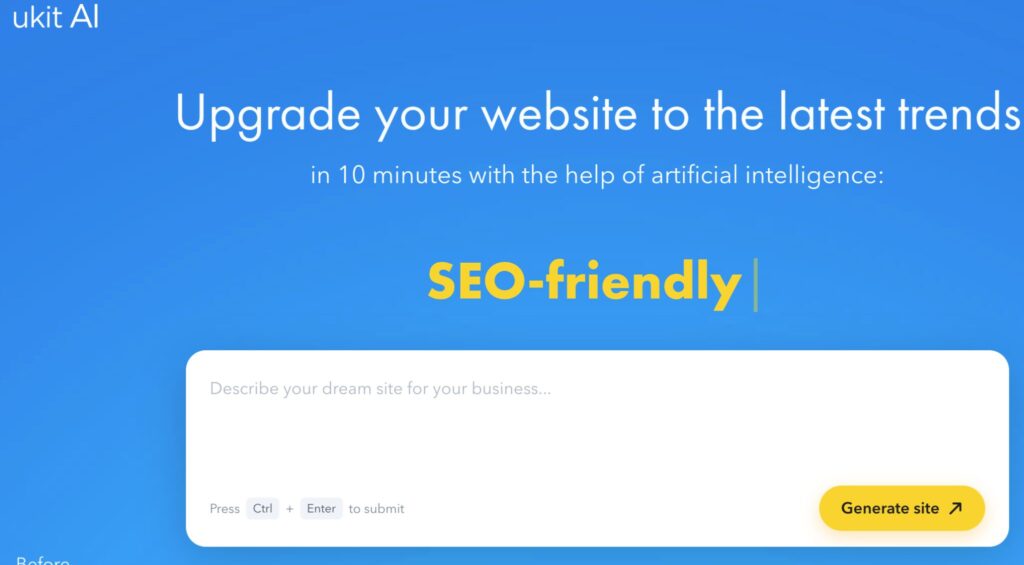
That raises a straightforward question: does this make redesign less complicated? The honest answer is: yes, for a specific set of problems. No, for everything else. Let’s work through what that actually means in practice.
What AI Actually Simplifies
The problems an AI redesign tool handles well are the ones that are mechanical but time-consuming. Getting a site to display correctly on a phone. Implementing HTTPS. Cleaning up outdated markup that modern browsers handle poorly. Updating layout conventions from whatever was standard when the site was built to what is standard now.
These are real problems that affect how a site performs – search engines pay attention to mobile responsiveness and HTTPS, visitors judge credibility partly based on whether a site looks current – and they have traditionally required either developer time or a full rebuild to address. An AI tool compresses that into minutes.
For businesses where the main problem is exactly this – the content is mostly fine, the business hasn’t changed dramatically, but the site looks dated and doesn’t function well on a phone – the AI solution is genuinely simpler than the alternatives. You review the output, correct anything that needs updating, and you have a substantially improved site without a months-long project.
What the AI Cannot Simplify
The harder problems in a website redesign are not technical. They are strategic.
Who is visiting this site, and what do they need to find quickly? What is the one action the site should make as easy as possible? What makes this business different from competitors, and does the site actually communicate that difference in the first five seconds? Is the service description specific enough to build trust, or does it sound like every other company in the category?
None of these questions are answered by an AI redesign tool, because they require knowing the business – understanding the customers, the offer, the competitive context. The AI works with what is already on the page. If the current copy is vague or generic, the upgraded version is a cleaner presentation of the same vague, generic copy. The layout will look better. The message will be unchanged.
This matters because the message is usually what determines whether a visitor contacts the business or leaves. A site that looks current but says nothing specific has better aesthetics and the same conversion problem.
The Platform Question
One aspect of AI redesign tools that is worth understanding before you commit is the platform tradeoff. uKit AI produces a site that lives within the uKit ecosystem – which means you are working with uKit’s CMS and editing tools after launch. For most small businesses, this is straightforward: the interface is manageable, and the built-in tools cover the common needs.
But if you have been weighing whether to stay on your current platform, migrate to something else, or start fresh on a major builder, that is a separate decision that an AI upgrade does not make for you. It modernizes your site within a specific environment. Whether that environment is the right one for the next several years depends on factors specific to the business – how often content needs updating, whether there are technical requirements like e-commerce or membership features, and how comfortable the person maintaining the site is with different editing interfaces. If you are actively weighing platforms before deciding, it is worth reading Wix or WordPress: The Best Choice for Your Website Goals before you treat an AI-generated upgrade as a final home for the site.
What Happens After the Upgrade
The AI gives you a modernized version of your existing site. What you add to that site afterward often matters more than the upgrade itself.
One of the most consistent gaps in small and medium business websites is the absence of any interactive element that helps visitors make a decision. A static page with service descriptions requires a visitor to reach out and ask the question they have already formed in their head. An interactive tool – a pricing calculator, a project scope estimator, a simple quiz that helps visitors identify which service they need – reduces that friction. If you are thinking about adding this kind of element to a redesigned site, Choosing the Right Calculator Builder for Creative Studios covers the options for the specific context of studios and service businesses, with a practical look at what each tool is actually suited for.
The other common gap is a feedback loop. Once the site is live, how do you know whether it is working? Whether visitors are finding what they need, what questions they have before making contact, and where they lose confidence in the offer – these are things that look in the analytics but are hard to read there. Structured feedback tools are the direct approach. If you are evaluating which tool makes sense for collecting input from clients or site visitors, Best Survey Tools for Creative Studios compares the main options with a focus on what works in a studio context without requiring technical setup.
The Right Expectations Going In
The businesses that get the most out of AI redesign tools are the ones that come in with clear expectations about what the tool is doing. It is a visual and technical upgrade, not a strategy. It modernizes presentation, not positioning. It handles the defaults layer of design – the conventions that make a site look current – not the interpretation layer, which is about what makes this site specifically right for this business.
Used with that understanding, it is a genuinely useful tool that compresses what was previously a multi-week project into something reviewable in an afternoon. Used with the expectation that it will solve everything, it will disappoint – because the parts that most affect business outcomes are the parts that require human thinking.
A Practical Way to Evaluate the Output
When reviewing an AI-generated upgrade before deciding whether to publish it, work through these questions:
Does the homepage make it immediately clear what the business does and who it is for? If not, the hero section needs human editing before launch.
Does the site include at least one specific reason to trust this business over alternatives – a client reference, a result, a credential – visible without scrolling? If not, add one.
Is the contact path obvious on mobile, or do you have to hunt for it? Test on an actual phone, not just the builder’s preview.
Is every piece of information on the page still accurate as of today – service descriptions, pricing mentions, hours, location? Read it as if you are a stranger.
Are there sections on the original site that you always knew were weak but never got around to fixing? The AI upgrade carried them forward. This is the moment to fix them before they go live in a modern frame.
None of these checks take long. Together, they are the difference between a site that looks good and a site that actually works.
The Bigger Picture
AI redesign tools do not eliminate the need for good thinking about a website. What they do is remove the most time-consuming mechanical barrier to acting on it. For businesses that have been putting off a refresh for years because the process seemed too expensive or too complicated, that removal of friction is genuinely significant.
The right outcome from a tool like uKit AI is a better-looking, technically sound version of your site that you then make smarter – with clearer copy, better social proof, a stronger call to action, and the right interactive or feedback tools for your business. The AI handles the foundation. The business still has to build on it.